How GPU Computing, Advanced Solvers, and AI-Driven Technologies Are Changing FEA, CFD, and Multiphysics Engineering
Engineering simulation has become an essential part of modern product development. From automotive structures and aircraft components to industrial machinery, semiconductor systems, and energy technologies, engineers increasingly depend on numerical simulation to predict product performance before physical prototypes are manufactured.
However, as products become more complex, simulation models also become larger and more computationally demanding. Higher-resolution meshes, more detailed physical models, coupled multiphysics calculations, and extensive design optimisation studies can require substantial computing resources.
This is where GPU-accelerated engineering simulation is becoming increasingly important.
Traditionally, many engineering simulations have relied heavily on Central Processing Units (CPUs). Modern Graphics Processing Units (GPUs), originally developed to process graphics workloads, offer thousands of parallel computing cores and high memory bandwidth. These characteristics make them particularly attractive for the mathematical operations used in computational engineering.
In 2026, developments from NVIDIA, Ansys, Siemens, COMSOL, and other engineering software providers demonstrate that GPU computing is moving beyond visualisation and into increasingly important parts of the numerical simulation process.
1. Why Engineering Simulation Needs More Computing Power
Computer-Aided Engineering (CAE) covers several numerical disciplines used to evaluate the behaviour of products and physical systems.
The most common applications include:
- Finite Element Analysis (FEA): Evaluating structural strength, deformation, stress, vibration, and fatigue.
- Computational Fluid Dynamics (CFD): Analysing fluid flow, aerodynamics, pressure distribution, and heat transfer.
- Thermal Analysis: Predicting temperature distribution, cooling performance, and thermal behaviour.
- Electromagnetic Simulation: Evaluating electromagnetic fields, electrical components, and signal behaviour.
- Multiphysics Simulation: Combining multiple physical phenomena within a single engineering model.
These disciplines often involve solving large systems of mathematical equations derived from physical laws.
For example, a structural analysis may contain millions of degrees of freedom. A CFD model may require repeated calculations across millions of computational cells over thousands of time steps.
The computational requirements increase further when engineers need to evaluate multiple design alternatives, material configurations, operating conditions, or optimisation scenarios.
As a result, computing performance directly influences how many engineering alternatives can be investigated within a given development schedule.
Faster simulation can therefore provide more than shorter waiting times. It can increase the number of design iterations and allow engineers to investigate more complex operating conditions.
2. CPU vs GPU: Understanding the Difference
The fundamental difference between CPU and GPU computing lies in how processing resources are organised.
Central Processing Unit (CPU)
A CPU is designed to handle a wide range of tasks with sophisticated control logic, large caches, and relatively powerful individual cores.
It is particularly effective for sequential operations, complex decision-making, operating system tasks, and workloads that contain significant dependencies between calculations.
Graphics Processing Unit (GPU)
A GPU contains a large number of smaller processing units designed to execute many operations simultaneously.
This architecture is especially useful when a mathematical operation can be repeated across large datasets with similar computational requirements.
Engineering simulation frequently contains this type of workload.
For example, numerical operations may need to be performed across thousands or millions of mesh elements, matrix entries, or computational cells.
GPU architectures can process many of these operations in parallel, potentially reducing the time required for specific solver operations.
However, GPU computing does not simply replace the CPU.
Modern simulation environments commonly use a combination of both architectures. The CPU may continue to handle model preparation, control operations, data management, and parts of the solver, while the GPU accelerates selected computationally intensive tasks.
The actual performance improvement depends on how effectively the simulation software distributes its workload between the CPU and GPU.
3. Why Do GPUs Make Engineering Simulations Faster?
To understand why GPUs are becoming important in engineering simulation, we first need to understand what happens when an engineer runs a CAE analysis.
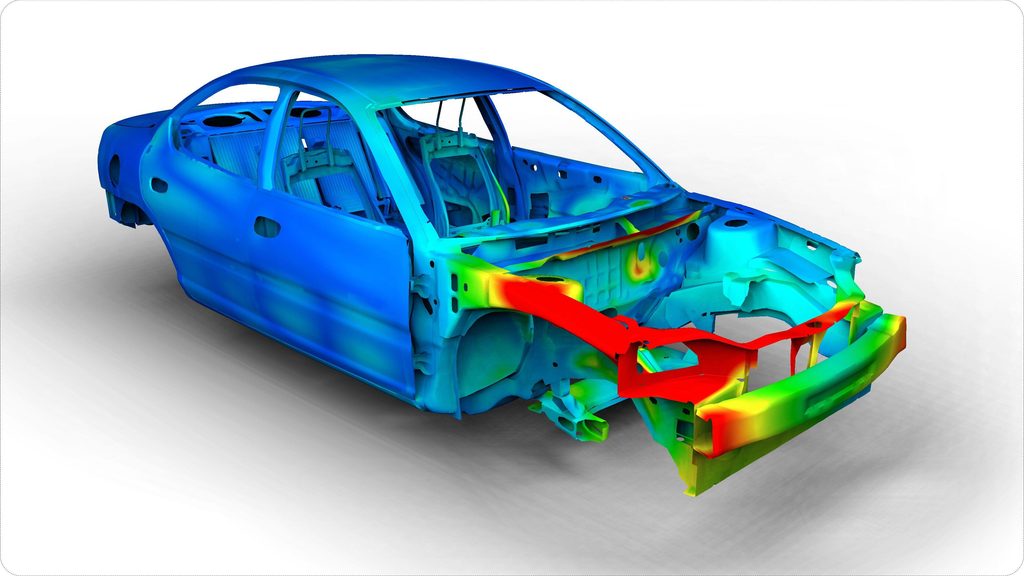
Imagine designing a car suspension component. Before manufacturing it, an engineer wants to understand how it will behave under different loads. The simulation software divides the component into thousands or even millions of small sections and calculates how each section responds to the applied forces.
The software must then combine all these calculations to determine the overall behavior of the component.
This process involves enormous amounts of mathematical calculations, especially when the model contains millions of elements or requires multiple simulation steps.
This is where GPUs become important.
A traditional CPU is designed to handle a wide variety of tasks and is very effective at performing complex operations that depend on one another. A GPU, on the other hand, contains many processing units that can perform large numbers of suitable calculations simultaneously.
Think of it this way:
- CPU: Like a small team of highly skilled engineers solving different problems one after another.
- GPU: Like a much larger team performing many similar calculations at the same time.
In engineering simulation, many calculations can be divided into smaller tasks and processed in parallel. A GPU can therefore accelerate suitable parts of the simulation.
For example, when analyzing a large structural component, the software needs to calculate how different regions of the structure respond to applied forces. Instead of processing every suitable calculation sequentially, GPU technology can handle many of them simultaneously.
This approach can be particularly valuable in:
- Large structural and stress analysis.
- Complex thermal simulations.
- Computational fluid dynamics (CFD).
- Electromagnetic simulations.
- Multiphysics analysis.
- Repeated simulation and design optimization.
However, not every calculation can be performed independently. Some operations must wait for the results of previous calculations, and certain solver operations still rely on the CPU.
The real advantage comes from dividing the workload efficiently between the CPU and GPU, allowing each processor to handle the tasks it performs best.
In simple terms, GPU acceleration does not necessarily make the entire simulation faster. It makes specific, computationally demanding parts of the engineering analysis faster, helping engineers solve larger or more complex problems in less time.
4. NVIDIA cuDSS: A Major Development in GPU-Accelerated Simulation
One of the most important developments in October 2026 was the general availability of NVIDIA cuDSS, a CUDA-X library designed to accelerate sparse direct linear system solving.
Announced on October 21, 2026, cuDSS targets a computationally intensive operation that appears repeatedly in many engineering and scientific simulation workflows.
Instead of requiring software developers to build every GPU solver component from the beginning, cuDSS provides an accelerated library that can be integrated into existing engineering applications.
Its capabilities include:
- Sparse matrix reordering.
- Matrix factorisation.
- Linear system solving.
- Single-GPU execution.
- Multi-GPU execution.
- Multi-node computing support.
The library supports developer interfaces including C, C++, Python, and Fortran.
The significance of this development is that GPU acceleration can be integrated into established simulation environments without requiring engineers to completely change their modelling workflows.
Industry Adoption
According to NVIDIA’s October 2026 announcement, several engineering software providers are already using cuDSS in their applications.
| Company | Software / Platform | Application |
|---|---|---|
| COMSOL | COMSOL Multiphysics | Multiphysics simulation |
| Dassault Systèmes | Abaqus | Structural simulation and electromagnetic solvers |
| Siemens | Simcenter STAR-CCM+ | Fluid-structure interaction workflows |
| Cadence | Celsius | Thermal, structural stress, and warpage analysis |
| Applied Materials | Ginestra | Semiconductor materials and device simulation |
| Synopsys | Sentaurus Device | Semiconductor device simulation |
These integrations demonstrate that GPU acceleration is expanding across several areas of engineering rather than remaining limited to graphics processing or visualisation.
5. Real-World Performance: What Do the Benchmarks Show?
GPU acceleration is often discussed in terms of performance multipliers, but the actual results depend on the simulation software, numerical method, model size, hardware configuration, and solver implementation.
Nevertheless, recent examples provide useful insight into the potential benefits.
COMSOL Multiphysics
NVIDIA reported that ZEISS Semiconductor Manufacturing Technology achieved a measured 4x speedup in an EUV lithography plasma simulation benchmark using COMSOL Multiphysics with cuDSS on NVIDIA accelerated computing.
The full simulation was completed in six days and 14 hours.
This is particularly relevant because semiconductor manufacturing simulations often require highly detailed physical models and substantial computational resources.
Dassault Systèmes – Abaqus
NVIDIA reported that Dassault Systèmes achieved 8–10x speedups using cuDSS within Abaqus structural and electromagnetic solvers for selected performance-critical simulations.
Applied Materials – Ginestra
Applied Materials reported sparse-solver acceleration of up to 10x compared with CPU-only approaches in its Ginestra simulation platform.
These examples demonstrate the potential of GPU-accelerated numerical solving.
However, the figures are vendor-reported results from specific workloads. They should not be interpreted as guaranteed improvements for every simulation model or hardware configuration.
The overall simulation runtime also includes operations that may not benefit equally from GPU acceleration.
6. Ansys: GPU Acceleration Across Structural and Fluid Simulation
Ansys has been developing GPU acceleration capabilities across several simulation disciplines.
In Ansys Mechanical APDL, selected solver operations can be offloaded to supported GPU hardware.
The Ansys 2026 R1 documentation describes how users can activate GPU acceleration through the Mechanical APDL launcher or command-line options.
An important technical detail is that the GPU does not replace the CPU. The CPU continues to perform essential operations while supported computational tasks are accelerated on the GPU.
Ansys Fluent and CFD
Computational fluid dynamics is another important area for GPU acceleration.
Fluid simulations frequently involve large computational meshes, repeated numerical operations, and time-dependent calculations.
Ansys Fluent 2026 R1 supports GPU solver execution through Ansys Cloud for eligible configurations.
However, GPU support is not universal across every physics model or solver feature. Engineers must verify that their specific simulation setup is compatible with the GPU execution path.
The combination of GPU hardware, cloud computing, and high-performance computing resources can provide greater flexibility for companies running computationally demanding CFD workloads.
7. Siemens Simcenter STAR-CCM+: Expanding GPU-Native CFD Capabilities
Siemens is also expanding GPU computing within its Simcenter simulation portfolio.
The Simcenter STAR-CCM+ 2602 release, announced in February 2026, introduced GPU-native support for additional multiphase CFD capabilities.
These developments include support for:
- Volume of Fluid (VOF) simulations.
- Mixture Multiphase (MMP) models.
- Improved multi-GPU scaling.
- More flexible CPU–GPU resource utilisation.
- Additional GPU-supported flow and thermal modelling capabilities.
Multiphase CFD is particularly computationally demanding because engineers must calculate the interaction between different fluid phases, interfaces, and physical processes.
Applications can include boiling, liquid-gas interactions, industrial mixing, and complex thermal-fluid systems.
The expansion of GPU-native capabilities can help engineers investigate more operating conditions and reduce the time required for selected simulation workloads.
Siemens’ approach also highlights the importance of hybrid CPU–GPU computing, where both processing architectures contribute to the overall simulation process.
8. GPU Acceleration in FEA, CFD, and Multiphysics Applications
GPU computing is not equally beneficial for every simulation discipline. Its effectiveness depends on the numerical methods and physical models used.
Finite Element Analysis (FEA)
FEA applications frequently involve large sparse matrices, particularly in structural, thermal, and coupled analyses.
GPU acceleration can improve selected solver operations such as matrix factorisation and linear system solving.
Potential applications include:
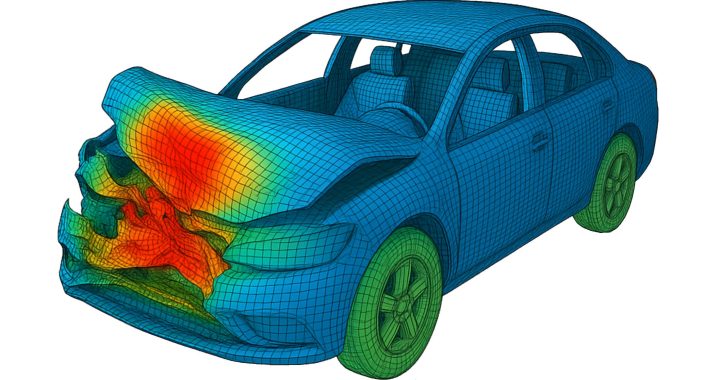
- Automotive crash and structural analysis.
- Aerospace structural optimisation.
- Vibration and modal analysis.
- Thermal stress calculations.
- Large assembly simulations.
Computational Fluid Dynamics (CFD)
CFD is particularly suitable for parallel computing because many calculations are performed across computational cells.
GPU-native solvers can accelerate supported flow, thermal, and multiphase calculations.
Potential applications include:
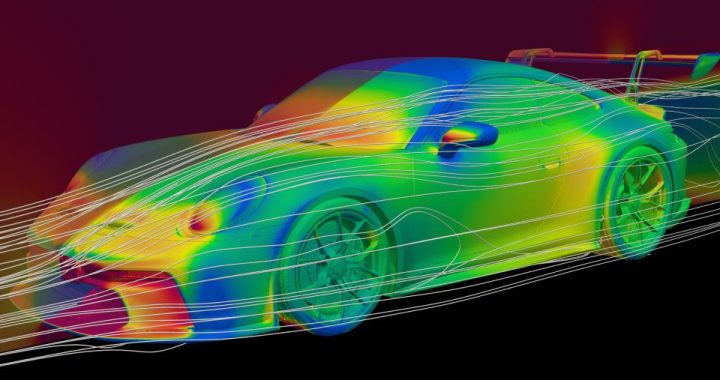
- Vehicle aerodynamics.
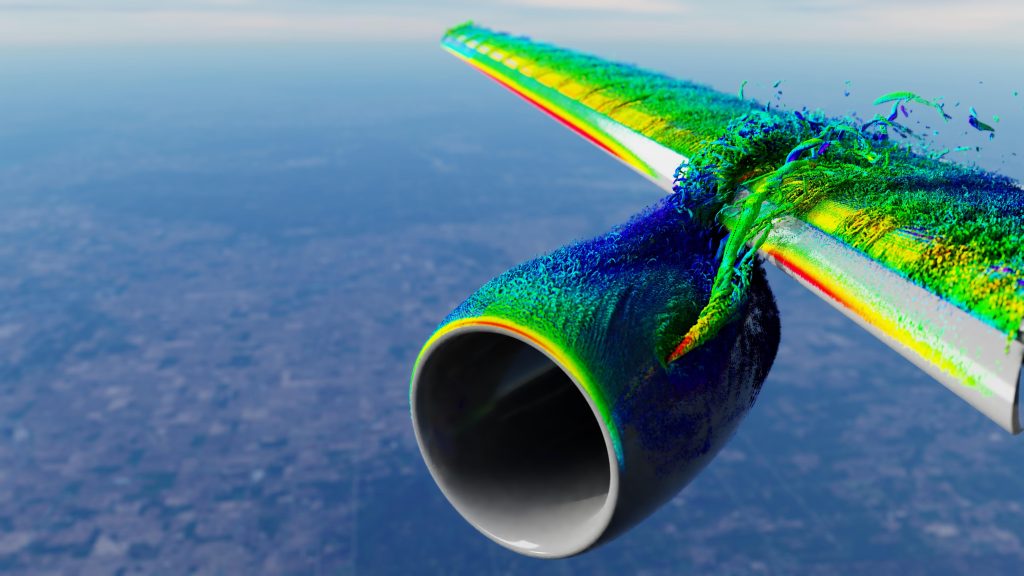
- Aircraft airflow analysis.
- Battery cooling systems.
- Industrial fluid processes.
- Turbomachinery.
- Heat exchanger design.
Multiphysics Simulation
Multiphysics models combine multiple physical phenomena, such as structural deformation, heat transfer, fluid flow, and electromagnetic behaviour.
These models often require repeated exchanges of information between different numerical solvers.
GPU acceleration can reduce the computational cost of supported operations, helping engineers investigate more complex interactions.
However, the full benefit depends on whether all relevant solvers and coupling operations are efficiently supported by the GPU architecture.
9. Beyond Traditional Simulation: AI, Surrogate Models, and GPU Computing
GPU acceleration is also creating new opportunities for combining traditional numerical simulation with artificial intelligence.
High-fidelity simulation can generate valuable training data, but producing large datasets may require significant computing resources.
AI-based surrogate models offer a complementary approach.
Instead of running a complete high-fidelity simulation for every new design variation, a trained surrogate model can estimate selected physical responses based on previously generated simulation data.
This can make early-stage design exploration much faster.
For example, engineers may use surrogate models to investigate:
- Aerodynamic performance across multiple vehicle shapes.
- Temperature distribution in battery systems.
- Structural response under different loading conditions.
- Fluid flow across alternative geometries.
- Design parameter optimisation.
NVIDIA Warp and PhysicsNeMo are examples of technologies supporting accelerated computational physics and AI-based engineering workflows.
NVIDIA Warp enables developers to create GPU-accelerated simulation kernels using Python, while PhysicsNeMo provides an open-source framework for developing physics-based machine learning applications.
These technologies do not replace conventional numerical solvers. Instead, they can complement established simulation methods by supporting accelerated computation, training data generation, and predictive modelling.
The long-term opportunity lies in combining high-fidelity numerical simulation with AI-assisted design exploration.
10. The Limitations of GPU-Accelerated Engineering Simulation
Despite its advantages, GPU acceleration is not a universal solution for every engineering workload.
Several technical factors must be considered before adopting a GPU-based simulation environment.
Software Compatibility
Not every solver, physical model, or numerical feature is supported by every GPU implementation.
Engineers must check the capabilities of the specific software version and solver configuration.
GPU Memory Capacity
Large simulation models can require substantial memory.
If a model exceeds available GPU memory, data transfers or alternative execution strategies may reduce the expected performance benefits.
Numerical Precision
Engineering simulation frequently requires careful control of numerical accuracy.
Double-precision performance, numerical stability, solver convergence, and result verification remain important considerations.
CPU–GPU Data Transfers
Moving data between CPU and GPU memory introduces overhead. If a workload requires frequent transfers, the benefits of GPU acceleration may be reduced.
Hardware and Licensing Costs
Professional GPUs, multi-GPU workstations, and cloud computing resources can involve substantial investment.
The business case should therefore consider simulation throughput, hardware utilisation, energy consumption, software licensing, and infrastructure costs.
Engineering Validation
A faster solver does not automatically guarantee a more accurate result.
Mesh quality, boundary conditions, material properties, numerical settings, and physical assumptions must still be validated by engineers.
GPU acceleration improves computing performance, but it does not eliminate the need for engineering expertise.
11. The Future of CAE: From Faster Solvers to Real-Time Engineering
The development of GPU-accelerated simulation is part of a broader transformation in digital engineering.
Traditional CAE workflows often involve a sequential process:
- Create or import the CAD geometry.
- Prepare the simulation model.
- Generate the mesh.
- Define materials and boundary conditions.
- Run the numerical solver.
- Evaluate and validate the results.
- Modify the design and repeat the analysis.
As GPU computing becomes more widely integrated into simulation software, some of these iterations can become significantly faster.
This creates opportunities for more extensive design exploration, optimisation, and interactive simulation.
The next stage may involve combining:
- GPU-accelerated numerical solvers.
- AI-based surrogate models.
- Real-time visualisation.
- Digital twins.
- Automated optimisation.
- Connected CAD/CAM/CAE environments.
In such workflows, engineers may be able to evaluate design changes more interactively and investigate a broader range of operating conditions before committing to physical prototypes.
The goal is not simply to make individual simulations run faster. It is to make simulation a more continuous part of engineering decision-making.
The CAD Verse Editorial Perspective
GPU-accelerated engineering simulation is becoming one of the most important developments in modern CAE technology.
The combination of high-performance GPU hardware, advanced numerical libraries, and software-level optimisation is changing how engineering applications handle computationally intensive workloads.
The general availability of NVIDIA cuDSS in October 2026 is particularly significant because it demonstrates how GPU-accelerated sparse solving is moving into established engineering software environments.
At the same time, developments in Ansys Fluent, Siemens Simcenter STAR-CCM+, COMSOL Multiphysics, and other platforms show that GPU computing is expanding across structural, fluid, thermal, and multiphysics applications.
For engineering teams, the greatest benefit may not simply be reducing the runtime of an individual simulation.
Faster computing can allow more design alternatives to be evaluated, more complex physical models to be investigated, and optimisation studies to be completed within shorter development cycles.
The future of engineering simulation will be defined not only by the accuracy of numerical models, but also by how efficiently computing technologies enable engineers to explore, validate, and improve their designs.
References
- NVIDIA – cuDSS General Availability for Engineering and Scientific Simulations
- NVIDIA Developer – Computer-Aided Engineering and CUDA-X Libraries
- Ansys – GPU Accelerator Capability in Mechanical APDL 2026 R1
- Ansys – GPU-Driven Solutions in Fluent 2026 R1
- Siemens – What’s New in Simcenter STAR-CCM+ 2602
- COMSOL – Accelerating Semiconductor Manufacturing Simulation with NVIDIA cuDSS
- NVIDIA – Building Accelerated Computational Physics with Warp